Chapter 1 · Part 1: Get ready
What we're building
Start with the problem, not the technology
Most useful apps don't start as an idea for an app. They start with something that's annoying. A spreadsheet that's gotten out of hand. A group text where the good recommendations scroll away and nobody can find them later. A folder of activities nobody opens.
Hold onto one of those while you read. The rest of this guide goes better when you're building something you actually want.
What you'll have at the end
One web app, live on the internet at an address you can share, with two parts:
- A free public page. Anyone with the link can browse, search, and filter a short list of what you've chosen to share. No account, no sign-in.
- A members' area. The people in your group sign in with an email and password. They see everything, add to it, and keep their own records alongside the group's.
Share a starter list with anyone. Keep the full version, and the conversation around it, with your people. Same app, same address.
Our example: The Kids' Table

To keep things concrete, the guide builds one example from start to finish. The Kids' Table is a shared restaurant list for a group of friends around greater Houston: places to eat with the kids, what your friends thought, and where you'd go again. Think of places with a good patio, a playground, or an indoor play area, where the adults can eat while the kids play. Chapter 3 walks through how I planned it.
What anyone can see
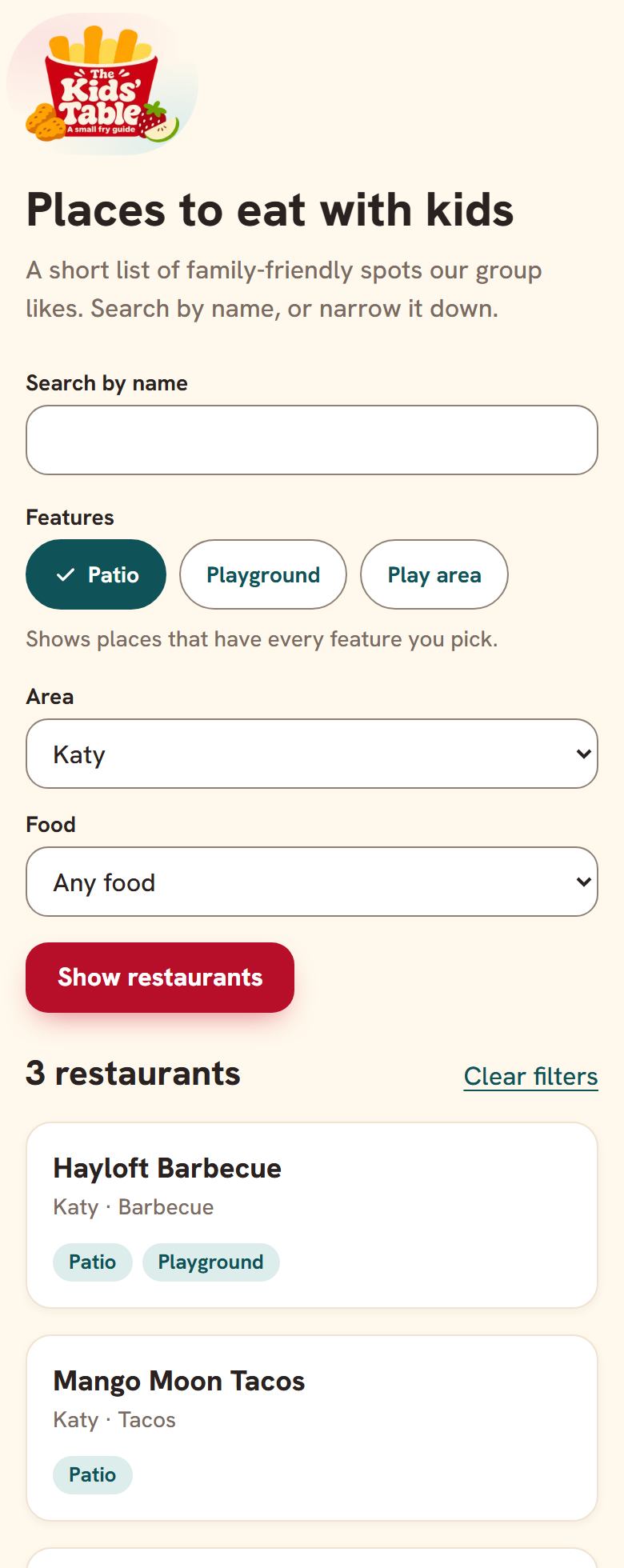
The public page shows a short list the owner has chosen to share. You can filter it by what a place has (a patio, a playground, an indoor play area), the type of food, and the part of town. No photos and no sign-in. The group's reviews stay inside the group.
What the group sees
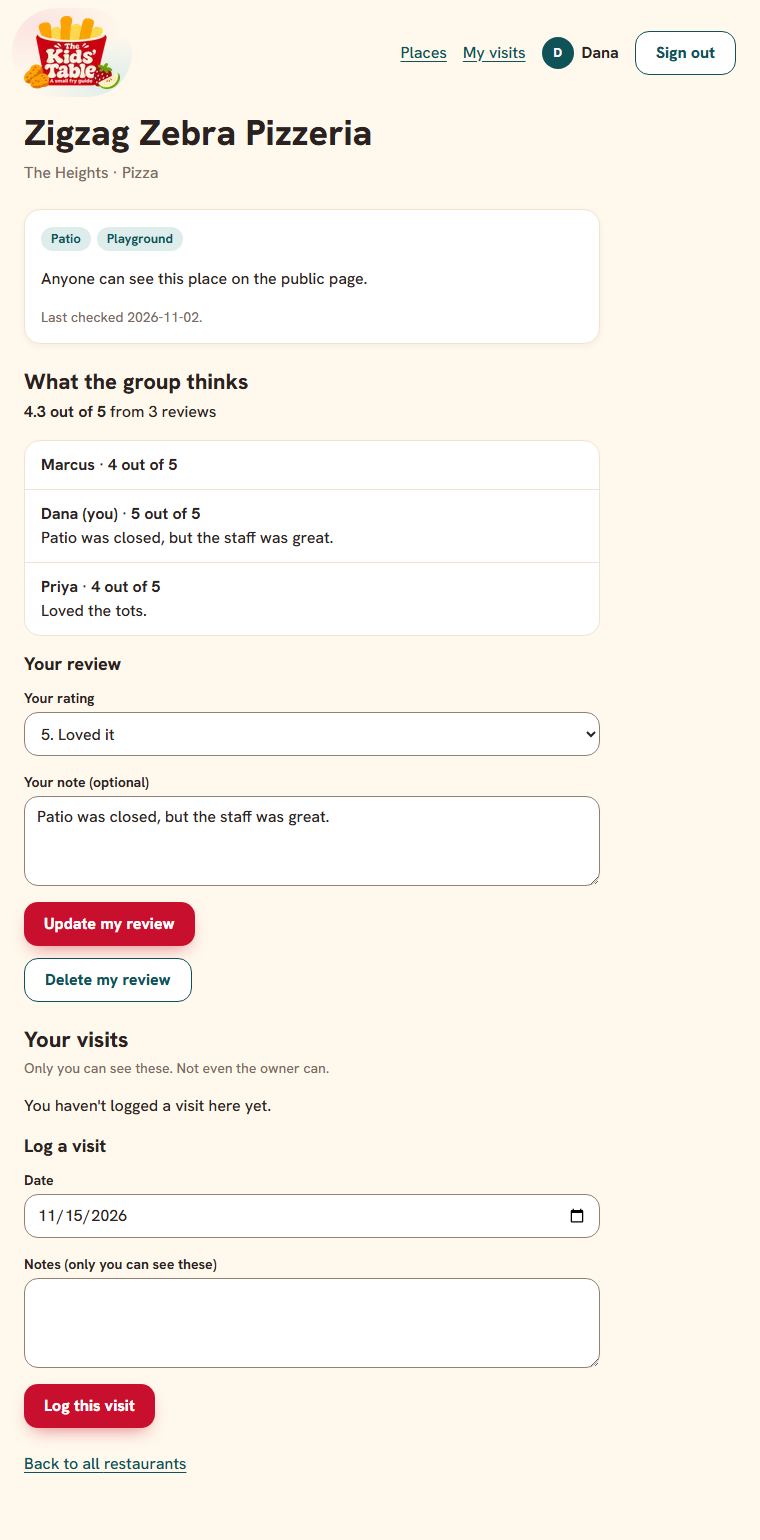
Sign in, and you get every restaurant, private ones included. From there:
- Search the group's list first. If a place is missing, add it right from your search.
- Write one review per restaurant: a rating from 1 to 5 and, if you like, a note with your overall take. Friends see your name, rating, and note. You can update your review any time.
- Log each visit with its date and any notes. One restaurant can have five visits under it, or fifty. Your visits are yours to look back on, and nobody else in the group sees them.
- Read what everyone else in the group thought before you go.
What you control
You started the group, so you're the owner. You decide who gets in and which places show up on the public page, and you can fix or remove anything.
| What | Visitors | Members | You, the owner |
|---|---|---|---|
| The short public list | Yes | Yes | Yes |
| Every restaurant, private ones included | No | Yes | Yes |
| Add restaurants | No | Yes | Yes |
| Read the group's reviews and write your own | No | Yes | Yes |
| Visit history | No | Only your own | Only your own |
| Decide what's public and who's in the group | No | No | Yes |
Built so you can swap in your own
The example is restaurants, but nothing about the app is really about restaurants. It's a group keeping a shared collection of good things, with each person's take shared and each person's history kept to themselves. That shape fits a lot of things:
| In our example | In yours, it could be |
|---|---|
| A restaurant | A lesson, a recipe, a park, a book, a hiking trail |
| Patio, playground, type of food, part of town | Your own categories and features |
| A review | Each person's overall take, shared with the group |
| A visit | A time you taught it, cooked it, visited it, read it, or hiked it |
| The friends group | Your teaching team, book club, parents' group, or hiking crew |
Making it yours takes three things:
- Put your list in a spreadsheet with the same columns we use.
- Change one settings file: your app's name, what one item is called, and your categories.
- Follow every chapter exactly as written. Your app will match ours, with your names and content in place of ours.
Chapter 10 walks through the swap. You can also build our example first and swap in your own content after. Either way works.
The pieces, in plain English
You'll hear a lot of new words in this guide. These seven matter most. Each chapter explains the rest as they come up.
The browser
Chrome, Edge, or Safari
Where you and everyone else will use your app. Nothing new to learn here.
The editor
VS Code
A free program for opening and changing the files your app is made of. Think of it as a word processor for code.
The terminal
PowerShell
A window where you type commands instead of clicking buttons. It looks intimidating at first. Every command in this guide is written out for you to copy.
The AI assistant
Claude Code
Reads your project and writes or changes code when you ask in plain English. By default it asks before it edits files or runs commands, so you stay in charge.
The repository
GitHub
Your project's folder plus its full history. Git, which you install in Chapter 4, records every change you save on your computer. GitHub keeps a copy online. If something breaks, you can go back.
The host
Vercel
Takes your code from GitHub and runs it on the internet at an address you can share. When you save a new version to GitHub, Vercel updates the live site on its own.
The database
MongoDB Atlas
Where your app remembers things: the restaurants, the people in your group, everyone's reviews, and each person's visits. A Supabase version of this guide comes later.
You'll see one of those words shortened constantly: a repository, or repo, is your project folder plus the saved history of every change to it.
How the pieces fit together
Your computer
VS Code
PowerShell
Claude Code
GitHub
Keeps every version
Vercel
Runs the live app
Visitors come here
Database
Holds the data
Reviews, visits, people
That last sentence of the caption matters more than it looks. Your visitors never connect to your database directly. Only your app does, using a password that lives on the server and never reaches anyone's browser. Chapter 9 shows you how to set that up, and it's one of the most important habits in this guide.
What this guide doesn't cover yet
Sign in with Google or Microsoft, a custom address like yourname.com, sending email, and separate test and live versions of your app. They're all useful. They're also all easier once you have one app working. Chapter 18 points you toward each of them.
What private means here
Your visits are private from the rest of the group. They aren't private from the owner, because the owner can open the database. If you're the owner, tell your group that up front. It's the honest thing to do, and it's true of most apps you already use.
Other people's information
Use photos you took yourself, or ones you have permission to use. If you swap in school content, keep student names, grades, and other personal information out of it. Real student data comes with real legal obligations, like FERPA (the federal student privacy law), and a first project isn't the place to take those on.
What it costs
Claude Code needs a paid Claude plan. GitHub, Vercel, and both databases start free. Chapter 2 covers exactly what's free, where the limits are, and what happens when you reach them.
Checkpoint
0 of 4Next step: before you sign up for anything, read Chapter 2 so you know how far the free plans go and where they stop.
Last checked November 14, 2026. Software screens and free-plan limits change. If something here doesn't match what you see, the official link in the chapter is the source to trust.