Classes
One roster that finally matches how your school rotates.
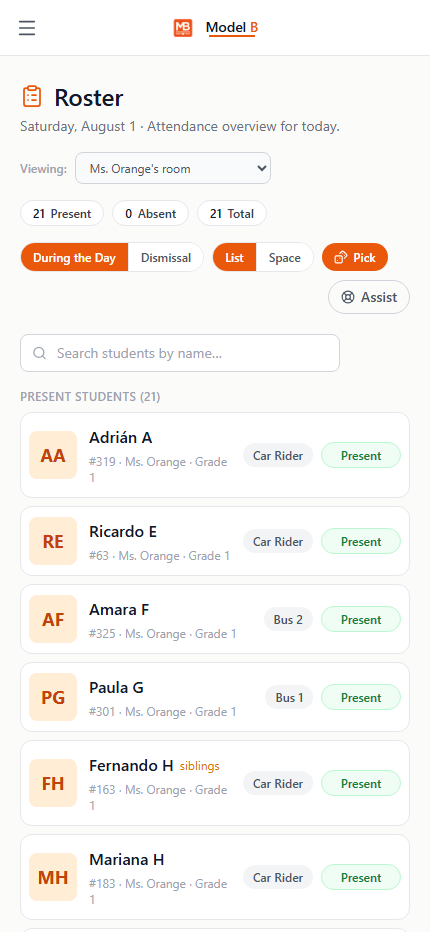
Homeroom stays the anchor, but any teacher can create or join the classes their students actually rotate through, with seating, attendance, and dismissal all following automatically.
Classes · Room 214
Classes
Sample view
Homeroom22 students. Always the default view.
Joined classMs. Orange joined Reading Group B. Self-service, no admin ticket.
SeatingPer-class layout saved. Same room, different seating for Math.
What it does
Rotation sections, without breaking dismissal or attendance.
Teachers manage their own classes
Any linked teacher can create, rename, or join a class without waiting on an admin ticket.
One room, multiple layouts
Seating charts carry a per-class layout, so a homeroom and a rotating reading group can look different in the same physical room.
Why schools trust it
Homeroom stays the anchor. Everything else is additive.
Homeroom never gets ambiguous
Homeroom is always the anchor. Classes are additive, never a replacement that breaks dismissal or attendance.
Admin can still see everything
Admin jump-in works exactly like a real teacher session, class switcher and all.
Built on a standard, not a one-off
The class model is OneRoster-aligned, so it fits how districts already think about sections.
Off by default, on when needed
A school-wide toggle controls whether teachers can self-manage classes at all. Admin keep the final say.
Classes ships inside Model B.
Part of the student operations suite: Dismissal and Space Maker.